



Durametric Porsche Diagnostic Tester - Functions
Reading and Clearing Trouble Codes
Durametric software is capable of displaying and clearing trouble codes on most Porsche control modules. Most Porsche cars made since 1990 have multiple computers built into different parts of the car. These computers are capable of self-diagnosis. In other words, the car knows what is wrong and our tool allows you to see this information.
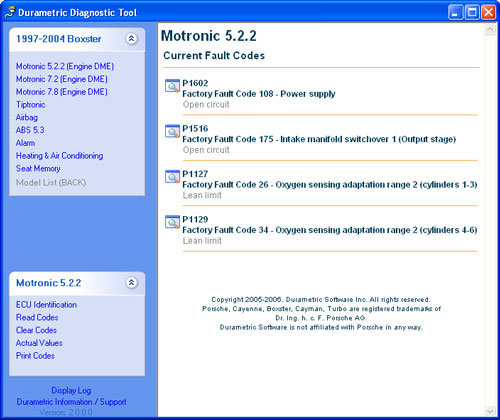
Until now people needed to rely on Porsche dealers to read this information from each of the car's computers. Now Durametric allow shops and individuals to read the fault code information out of most Porsche control modules. Each fault code is displayed with a P-Code, factory fault code, and repair information when available.
Actual Values
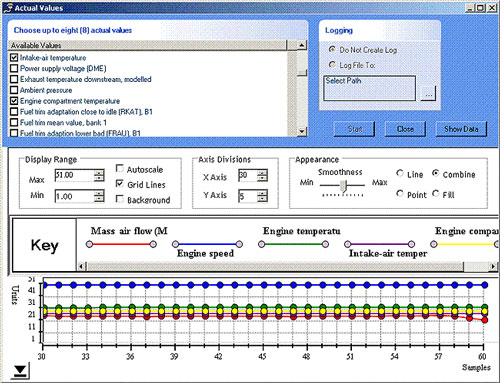
Durametric software is now capable of displaying actual values of some modules.
Each fault code is displayed with a P-Code, factory fault code, and repair information when available.
- This feature reads values directly from the computer and displays them on the screen as fast as the computer will respond.
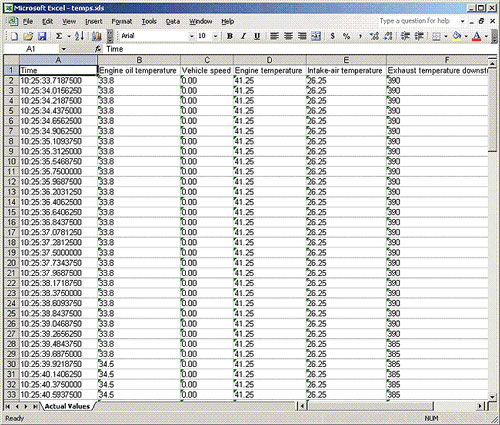
- The samples can be recorded in excel or csv format. See data logging.
- Actual values should never be used in a moving vehicle.
- All actual values are approximate.
ECU Information
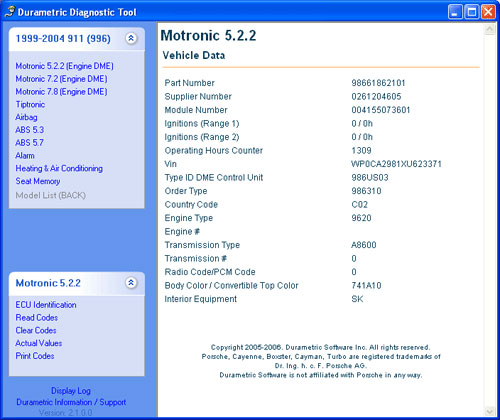
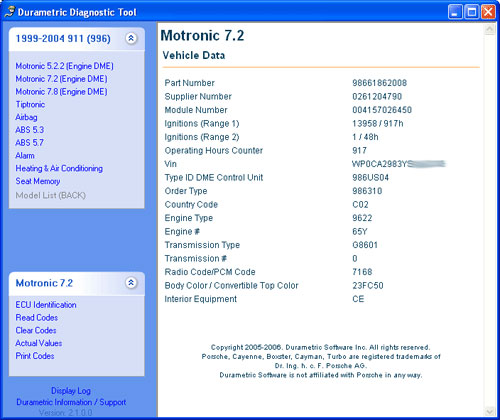
Some modules are capable of displaying information about the car that is not fault related. Sometimes this information is nothing more then the part number or the firmware number, but in some cases it displays a lot of interesting information about the vehicle.
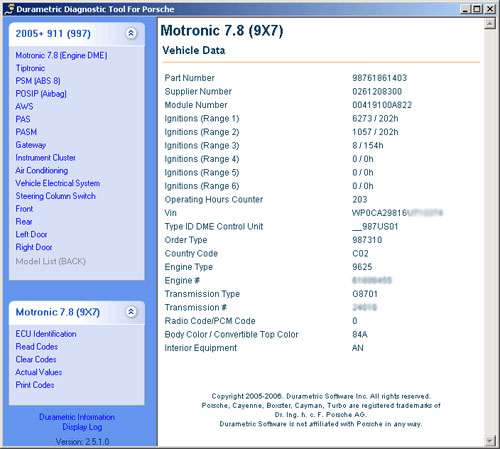
The 6 ranges can be broken down as:
- Range 1: 7300-7500 RPM
- Range 2: 7500-7700 RPM
- Range 3: 7700-7900 RPM
- Range 4: 7900-8400 RPM
- Range 5: 8400-9500 RPM
- Range 6: 9500-11000 RPM
The number is the number of ignitions in each of these ranges. The factory PIWIS tool does not display the hours for each of these ranges but the informaiton is available so we display it here. The hour indicates the last operating hour that this range occured in.
Data Logging
Everytime you use our software it keeps a log of each code that is displayed:
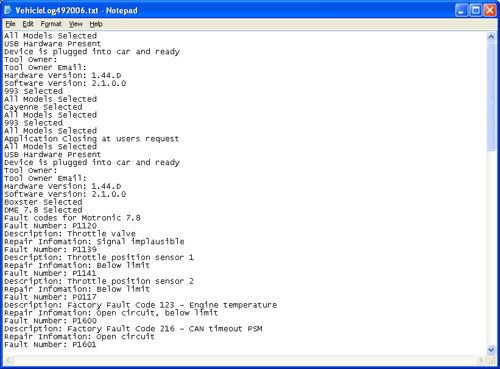
A new log is stored for each day that you use the program, so you can go back and look at the previous logs. Logs are stored in "Program Files\Durametric Software\Durametric Diagnostic Tool\" the log files name start with "VehicleLog" then have the Month Day and Year.
When logging actual values, you can create the output file in Excel or CSV. Each sample starts with a time reference in milliseconds, this gives a point in time reference from sample to sample.
Note: Sampling speed is limited to the controller being sampled. Some modules are faster then others.